
Know your resources – Accuris Engineering Workbench
In the library we’re committed to providing our students, staff, and community with the best resources to achieve success within the classroom and beyond. A big part of what makes RRC Polytechnic in front of what’s ahead is our vast program coverage for trades.
With technology progressing more each day, one thing is clear, trades will always be relevant to society. Trades people literally build society. They construct our homes, our workplaces, they build the roads we drive, and much more.
With any kind of project there are codes and standards that must be adhered to, which is why we are happy to announce our new database, Accuris Engineering Workbench.
Getting Started
Before you start searching, you’ll need to create an account. Instructions on how to do so can be found here https://library.rrc.ca/accuris
Once your account is created, you’re able to start searching the database.
The Homepage
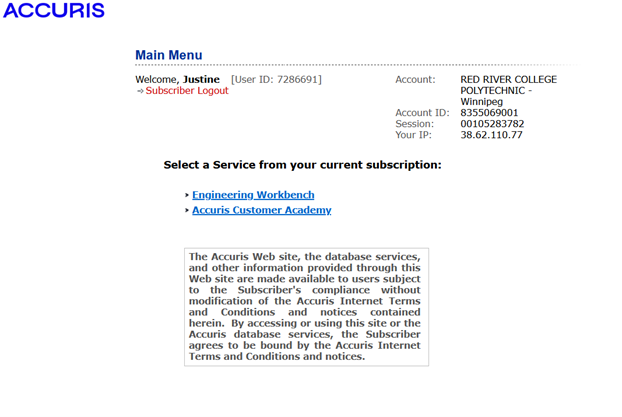
When you first log into Accuris, you’ll be taken to this homepage; to access the database, click on “Engineering Workbench”:
If you are a visual learner, it may be helpful to use the guided tour function upon entering.
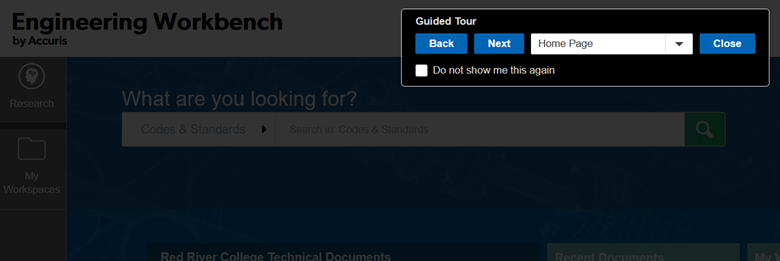
This function will highlight different areas of the homepage and direct you to different features within the database.
On the homepage, you find customizable widgets and a note about the subscription.
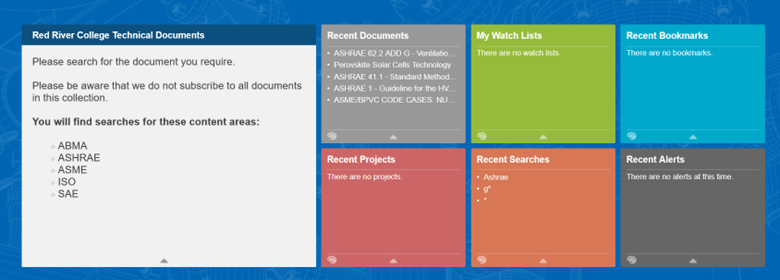
As stated on the note, we do not have a subscription to all documents, which will be important when you start searching.
Basic Search
When you begin typing into the search bar, a list of options will appear as well as the codes/standards that go along with what you’re searching.
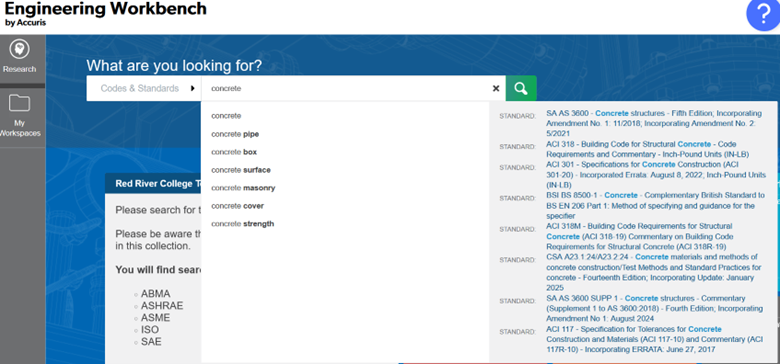
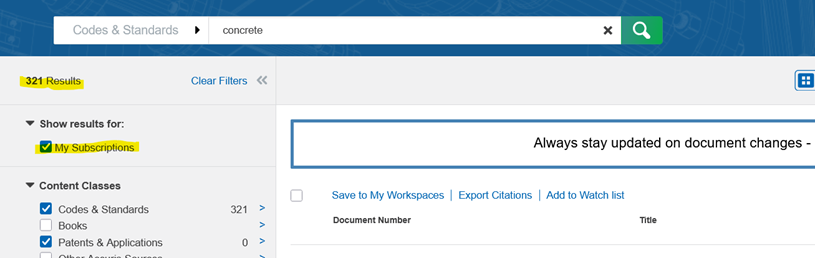
After searching, you will find thousands of results. It is imperative that you filter by “My Subscriptions” on the top left of the filter menu.
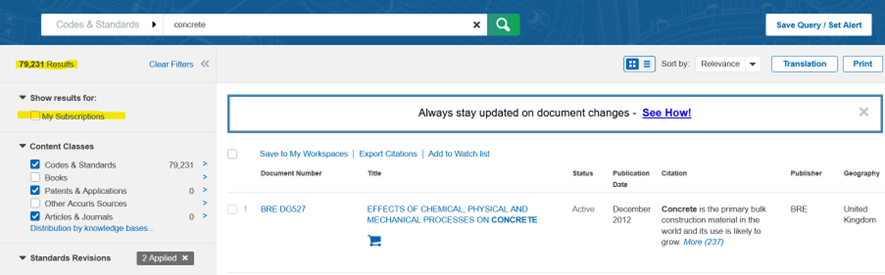
Filtering the results to subscriptions in the catalogue greatly reduces the number of results which will help you further narrow down what you’re looking for.
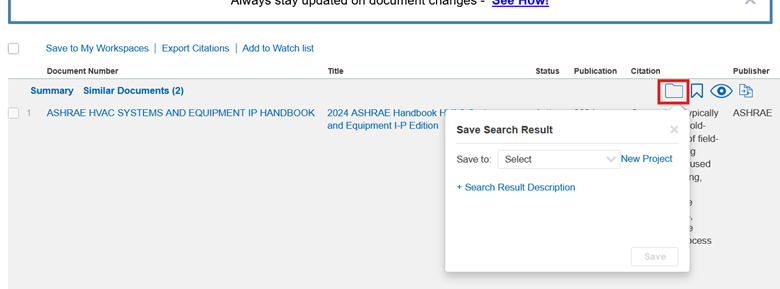
Once you find the resource you need, you are able to do a few things with it. First of all, you can save the ones you’d like to look at further by clicking the folder icon.
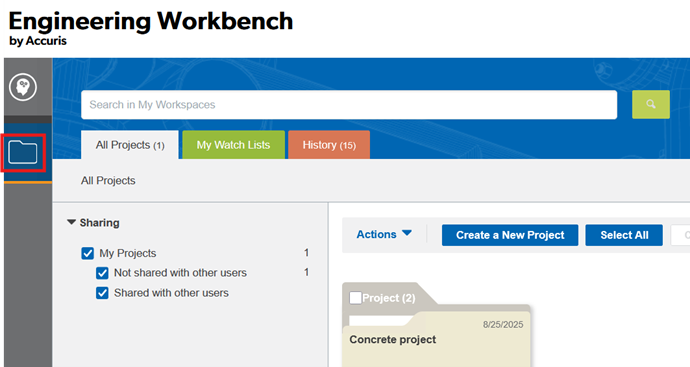
Saved projects can be found by clicking the folder icon on the left side of the screen. This feature is really helpful when you require multiple standards for a project. Within your project folder, you will see all the items saved within.
Advanced search
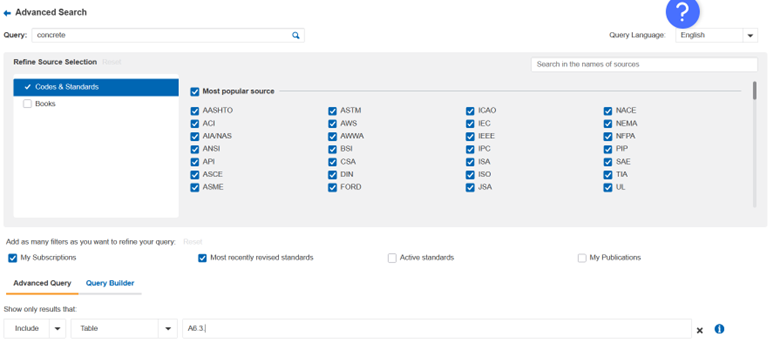
Back to searching features, just like most databases, Accuris offers advanced searching features. This extensive option allows you to really narrow down to what you’re specifically searching for. Users can find things by title, authors, manufacturers, footnotes within a document, or even a specific table.
Please note: The advanced search engine can be finicky, every time you make a change to the filtered information, make sure to clear the previous filters or it can skew your results.
If you are unsure about what kind of information goes into each field, you can hover your mouse over the information button. It will give you a blurb on what you should be typing in.
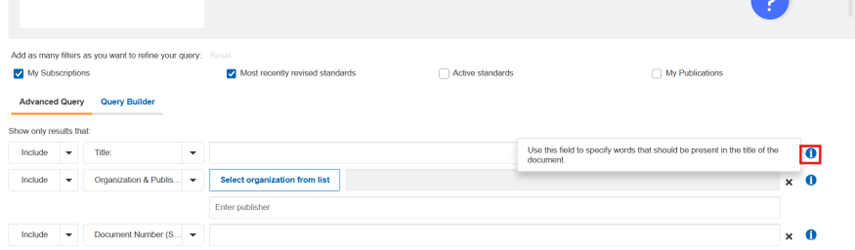
Using additional filters properly in advanced search will greatly narrow your results.
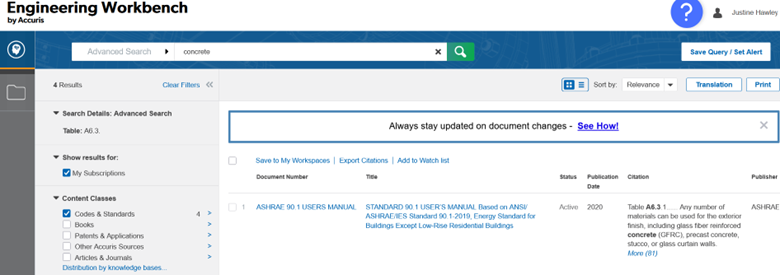
Now, you’re ready to start searching on your own! While the library provides these step-by step instructions, we recognize that each learner is unique and has an individual approach to understanding new concepts. Please come and visit us at any time and we will be happy to walk you through it in person. You can also reach out to us for further information by phone, email, or through library chat.
(Written by Justine Hawley, Resource Management Technician)