
The Report Phishing button in the Message tab of Outlook, allows you to easily report phishing emails. By using the button to report phishing attempts, you are helping the ITS Security team to better identify dangerous attacks and to protect your personal information and RRC Polytech data.
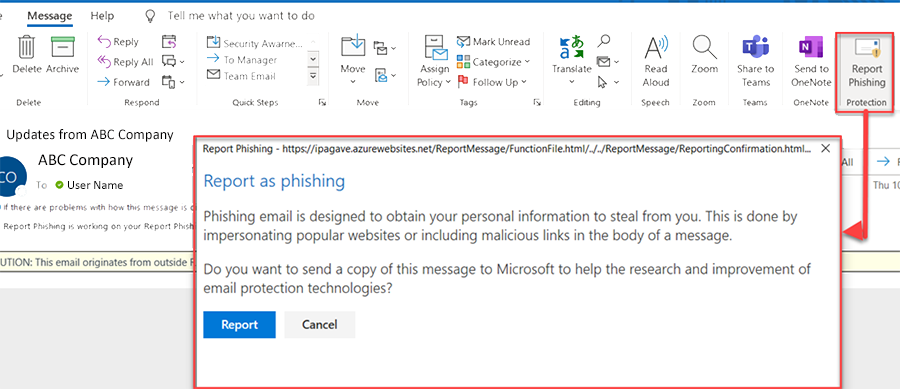
You should use the Report Phishing button anytime you believe you have received a potentially dangerous or suspicious email. With the email open, click the Report Phishing button on the Message tab. Emails you report using the Report Phishing button will be automatically:
While phishing and spam are both unwelcome nuisances to the inbox, the biggest differences between phishing & spam emails is the intent of the sender.
A phishing email looks legitimate but it is actually an attempt to get personal information such as your account number, user name, PIN code, or password. If you supply this information, threat actors may gain access to your bank account, credit card, or information stored on a website.
When you see one of these threats, do not click anything in the email. Instead, click on the Report Phishing button in Outlook to alert the ITS Security team.
For more information on scams and how to protect yourself from them, visit the Canadian Anti-Fraud Centre.
RRC Polytech campuses are located on the lands of the Anishinaabeg, Ininiwak, Anishininwak, Dakota Oyate, and Denésuline, and the National Homeland of the Red River Métis.
We recognize and honour Treaty 3 Territory Shoal Lake 40 First Nation, the source of Winnipeg’s clean drinking water. In addition, we acknowledge Treaty Territories which provide us with access to electricity we use in both our personal and professional lives.