
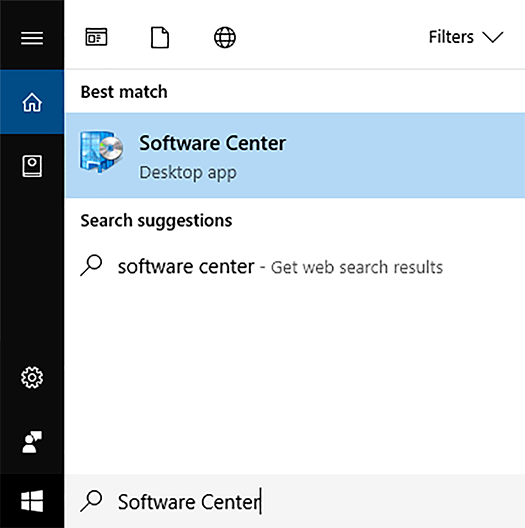
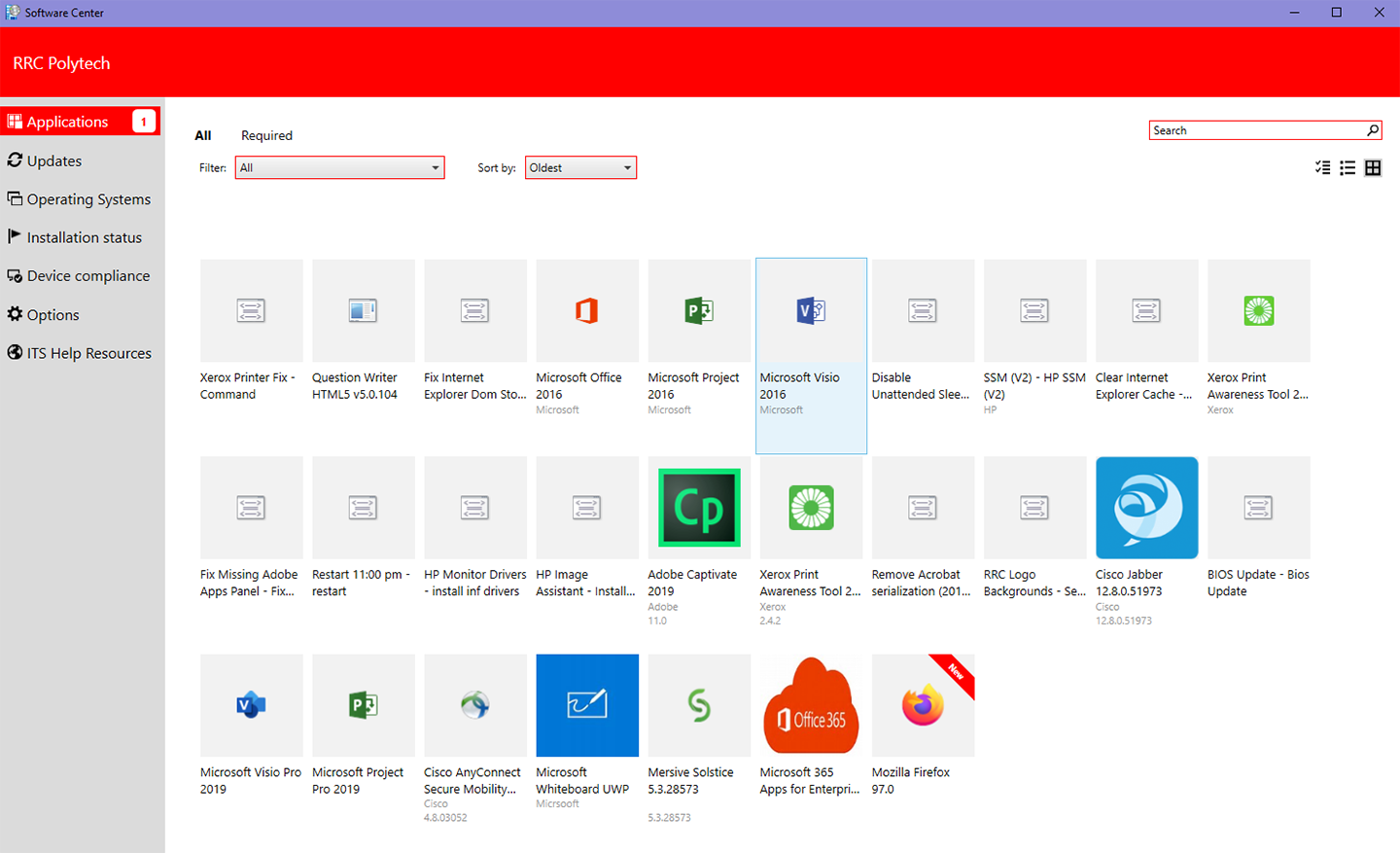
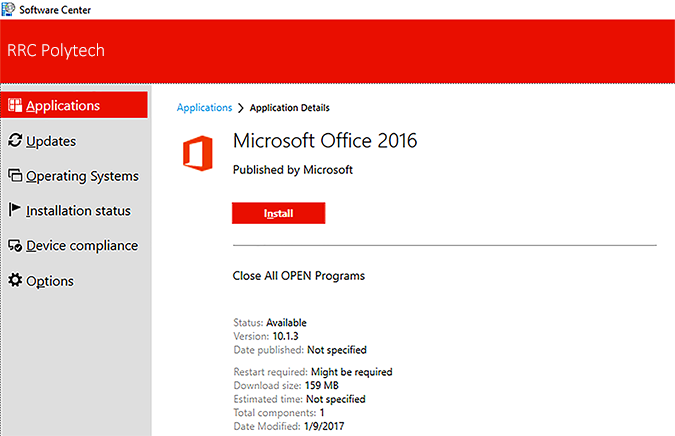
Software Center is a repository of computer applications and system updates available to all RRC Polytech staff. It provides a simple mechanism for installing, removing, and updating software in an easy to use interface.
Software Center not only maximizes IT Solutions ability to provide installations and updates to thousands of RRC computers, but it also provides you with the ability to choose which software to download and when to install updates.
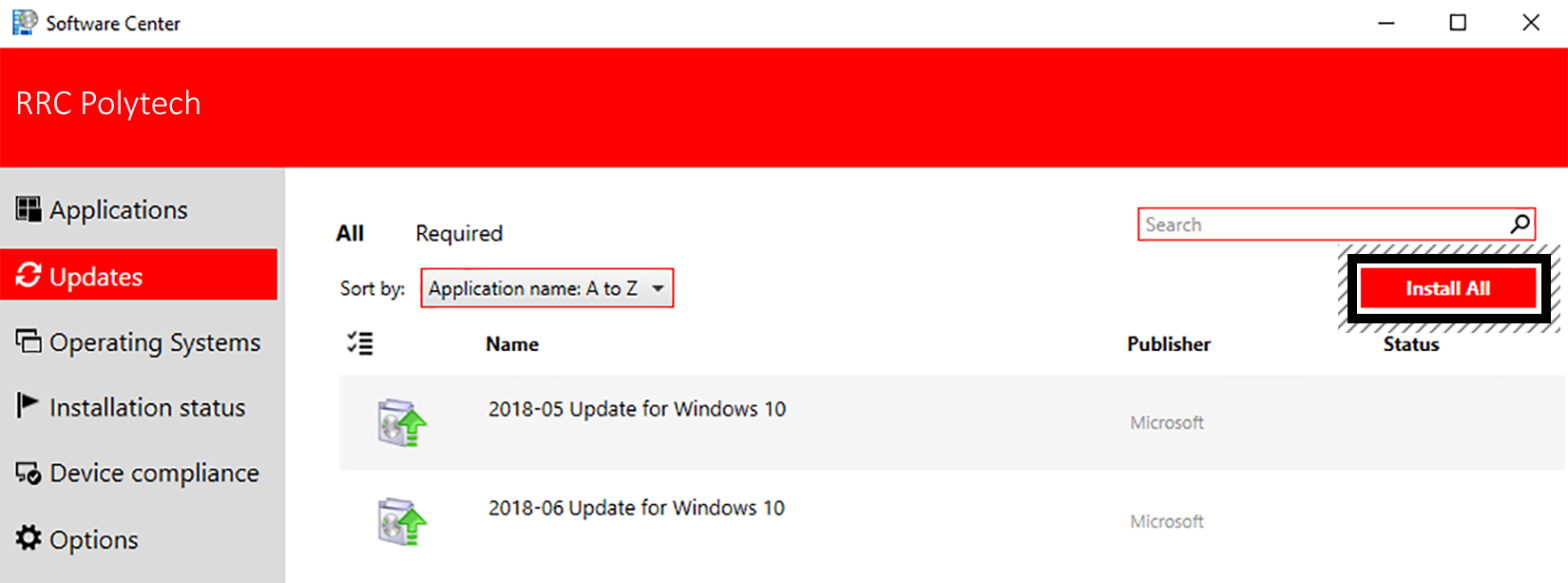
Software Center will indicate when a new update is available, and you can choose to update immediately or wait seven days from the date IT Solutions releases the update and it will install automatically.
If you are working off campus you must Connect to VPN prior to opening Software Center.
You can scroll through all of these Software Center topics or click the following links to navigate directly to the area you need help with:
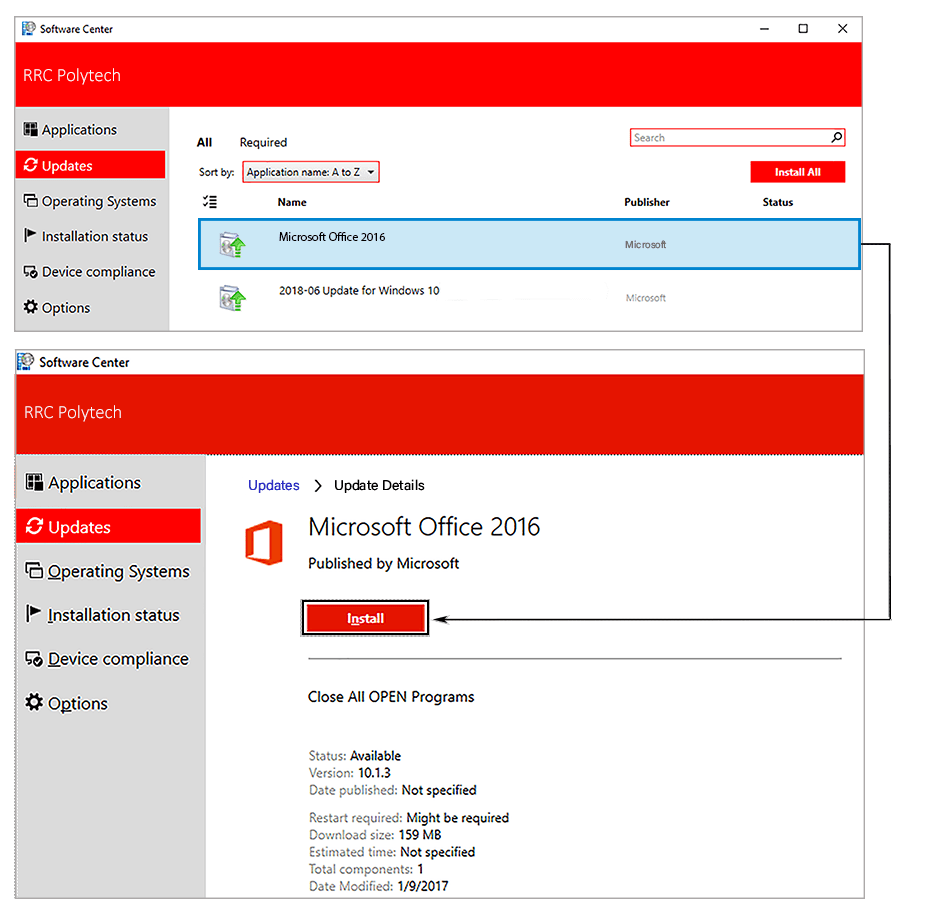
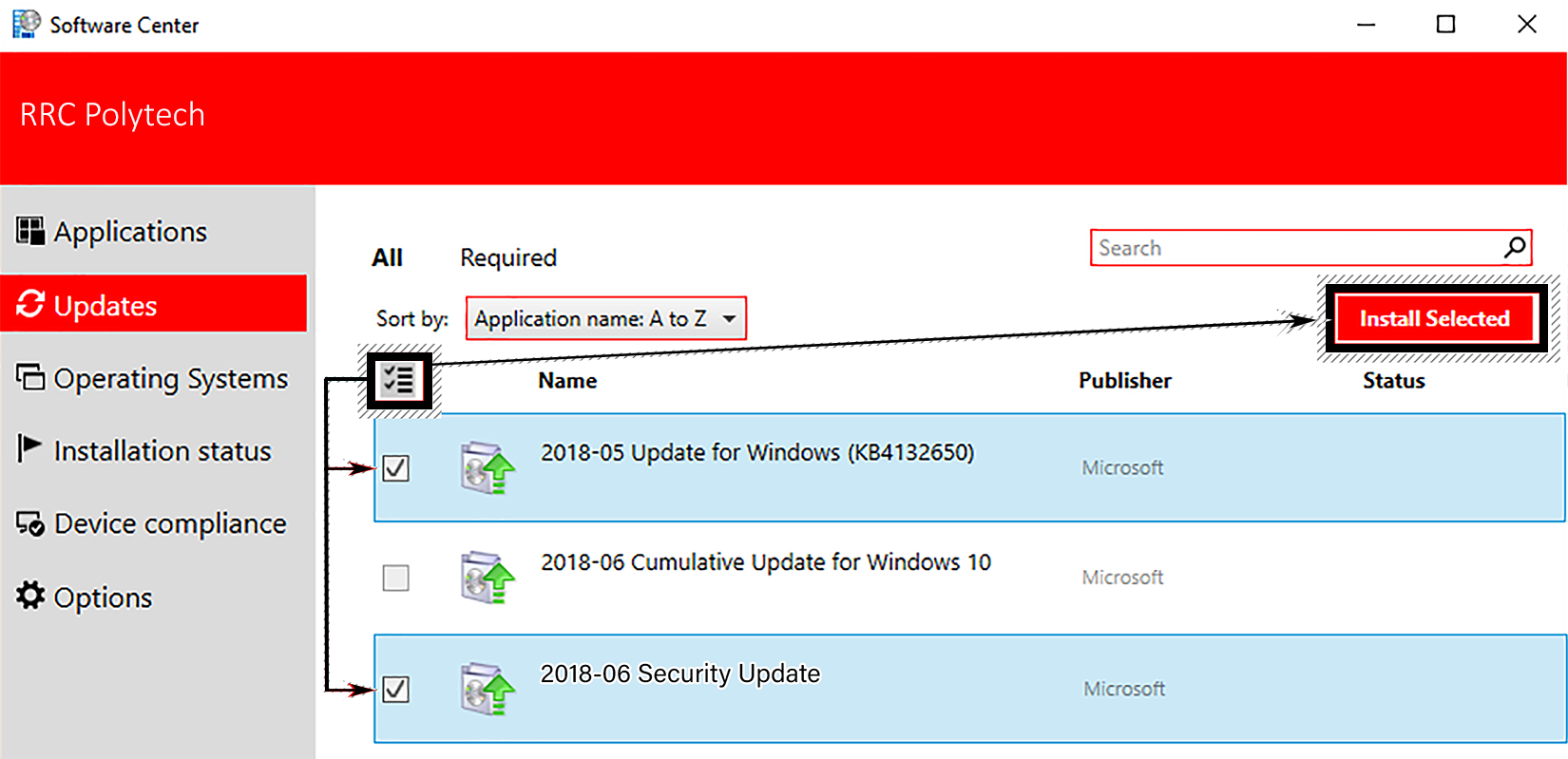
On the Updates tab on the left‑hand pane, you can install updates in the following three ways.
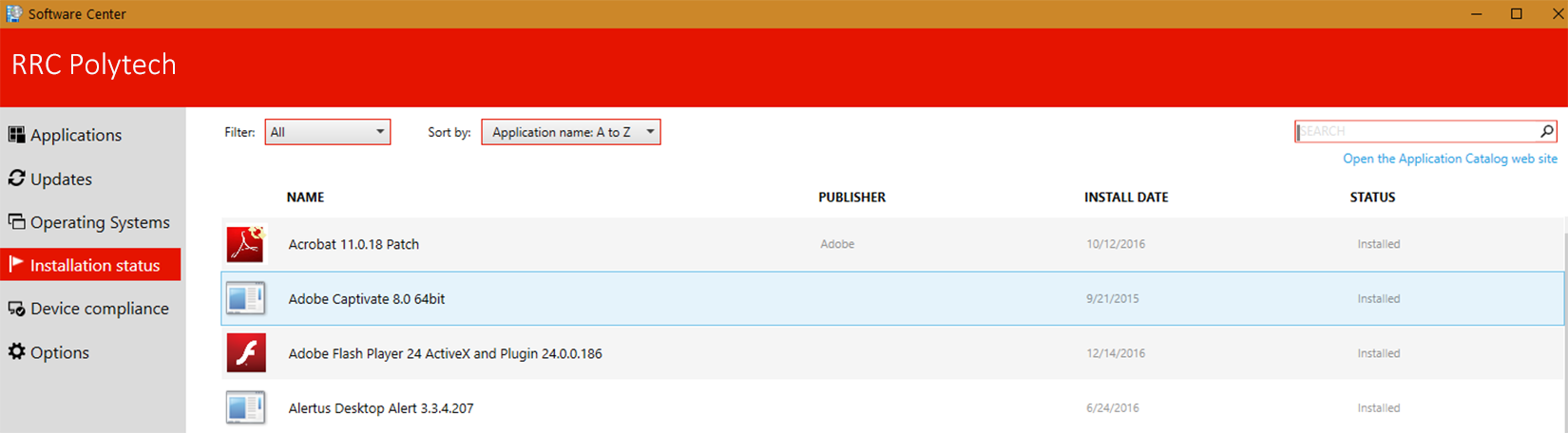
On the Installation status tab, you can review an application’s status and determine if it installed successfully, failed to install, or has an available update.
RRC Polytech campuses are located on the lands of the Anishinaabeg, Ininiwak, Anishininwak, Dakota Oyate, and Denésuline, and the National Homeland of the Red River Métis.
We recognize and honour Treaty 3 Territory Shoal Lake 40 First Nation, the source of Winnipeg’s clean drinking water. In addition, we acknowledge Treaty Territories which provide us with access to electricity we use in both our personal and professional lives.