Information Technology Solutions

Introduction to HUB

HUB is home to all of your RRC Polytech resources. It is the first point of contact for RRC Polytech students, faculty, and staff and provides a central location for all your RRC needs.

Not only is HUB home to all of RRC Polytech’s online applications, but it also is the place where you can access and update your personal information. All RRC Polytech students and staff have access to HUB, but an individual’s access to HUB resources is based on their unique program or job requirements.

Log on to HUB

  1. On the RRC.CA home page, click LOG IN in the top right‑hand corner.
    click log in
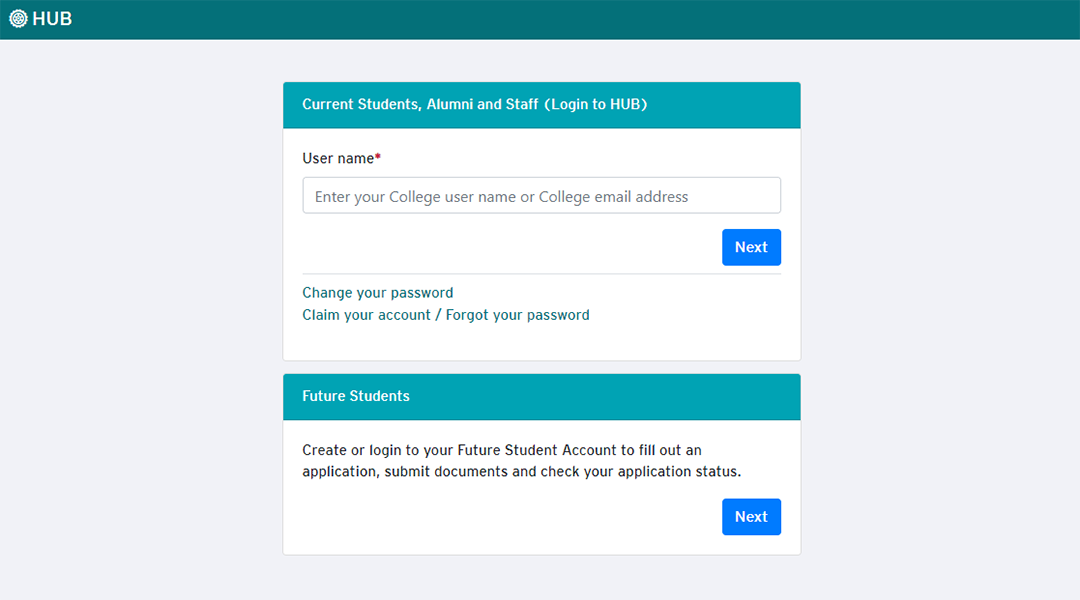
  2. On the Login to HUB section, enter your RRC user name or RRC email address, and then click Next.
    click next

    NOTE: On the Login to HUB section there are two password options:

    • Click Change your password:
      • If you would like to change your password
      • If you have been prompted to change your password
    • Click Claim your account / Forgot your password:
      • If you need to claim your account for the first time
      • If you have forgotten your password
      • If you have missed the deadline to change your password

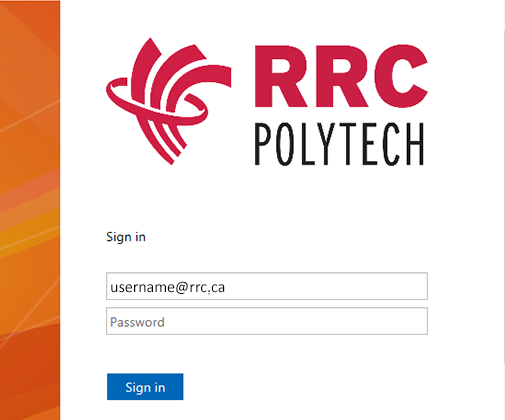
  3. On the RRC Polytech active directory sign in window, your RRC user name (followed by @rrc.ca for staff or @academic.rrc.ca for students) should automatically populate in the user name field, enter your password, and then click Sign in.
    click sign in

HUB for students

  • View your academic information, including classes, timetables, and grades.
  • Launch Office 365 or open your Student Email.
  • Submit a Service Desk ticket for technical support using the ITS Service Desk website.
  • Open Campus Store for their contact information, how to rent a locker or bike locker, and learn about their printing services.
  • Open Commuting and Parking and then click the tabs for Bike, Bus, and Park. Look for their contact information as well. Open Manage Parking Account to view and manage your parking account.
  • Open Payments and Profile (also called Self Serve) to view and update your personal and RRC information and to make payments.
  • Search for jobs using Career Bridge.
  • Access your class resources online using LEARN.

  • HUB for staff


    Keep your HUB information secure

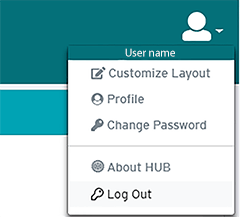
    IMPORTANT: Log out of HUB at the end of your session to protect your private information. Click the User icon in the top right‑hand corner, and then select Log Out in the drop‑down menu.

    click log out


    ← Back to College Website Support

RRC Polytech campuses are located on the lands of the Anishinaabeg, Ininiwak, Anishininwak, Dakota Oyate, and Denésuline, and the National Homeland of the Red River Métis.

We recognize and honour Treaty 3 Territory Shoal Lake 40 First Nation, the source of Winnipeg’s clean drinking water. In addition, we acknowledge Treaty Territories which provide us with access to electricity we use in both our personal and professional lives.