
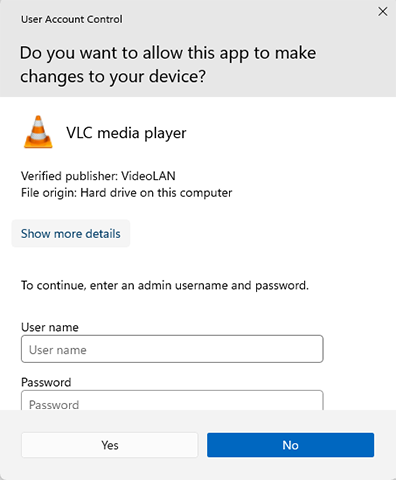
You will need to run the installation file with elevated access to install it on your computer.
To complete the process and to ensure that you have access to your new software, please follow the directions as provided, heading by heading, and step by step within the headings.
Download your intended new software package installation file.
If you see this error window, in the image below, you must unblock your file. This is the only way to continue with the installation process.
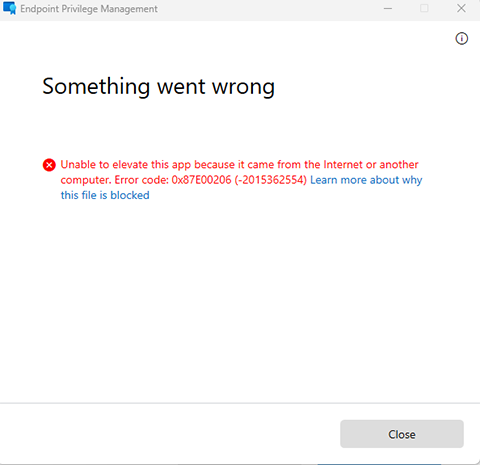
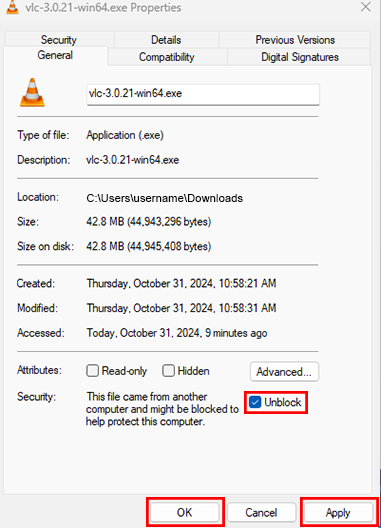
software package install file image
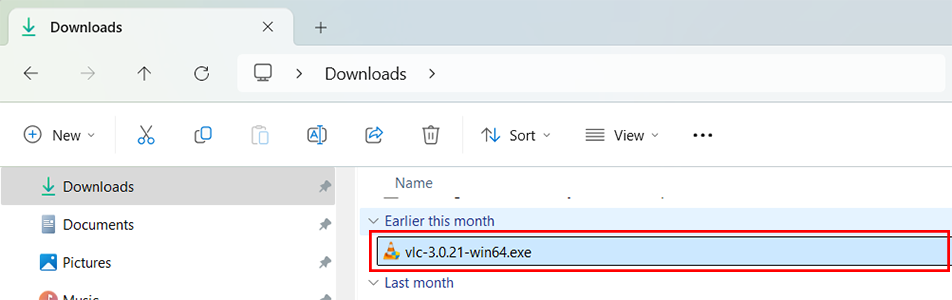
run with elevated access image

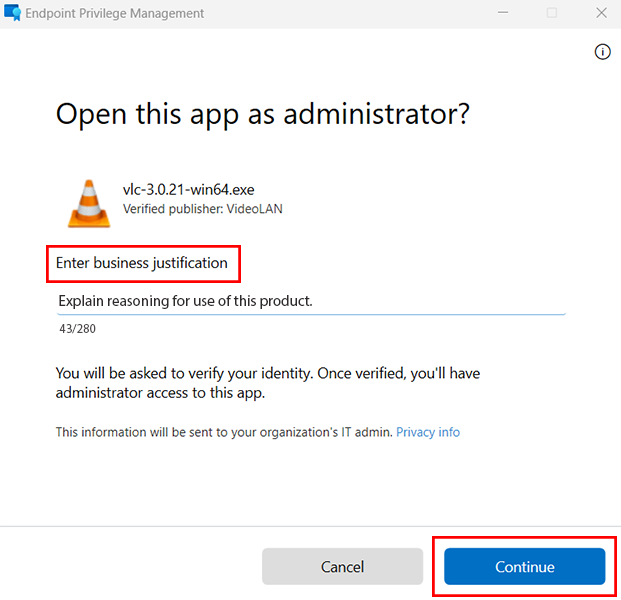
Enter business justification image
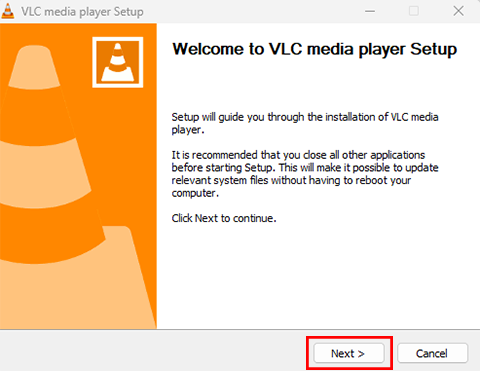
Welcome to vlc media player setup click next image
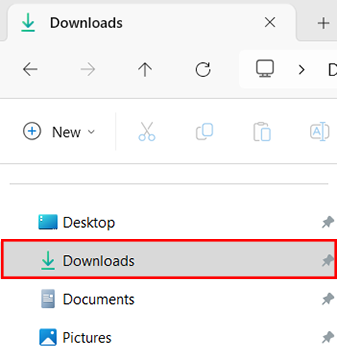
Downloads image
vlc image
run with elevated access image
open this app as administrator image
Click Step 1 to restart the process in the Install software with elevated access section.
RRC Polytech campuses are located on the lands of the Anishinaabeg, Ininiwak, Anishininwak, Dakota Oyate, and Denésuline, and the National Homeland of the Red River Métis.
We recognize and honour Treaty 3 Territory Shoal Lake 40 First Nation, the source of Winnipeg’s clean drinking water. In addition, we acknowledge Treaty Territories which provide us with access to electricity we use in both our personal and professional lives.